
| Creator | El Gato |
|---|---|
| Category | Processing & Automation |
| Size | 50 × 31 × 49 blocks |
| Blocks | 2,896 |
| Minecraft | 1.21.X |
| Create | 6.0.10 |
| Mods | Create |
| Downloads | 237 |
| Added | 2026-07-27 |
Schematic by El Gato, published on CreateMod.com. This page lists what it contains; download the file from the creator’s page.
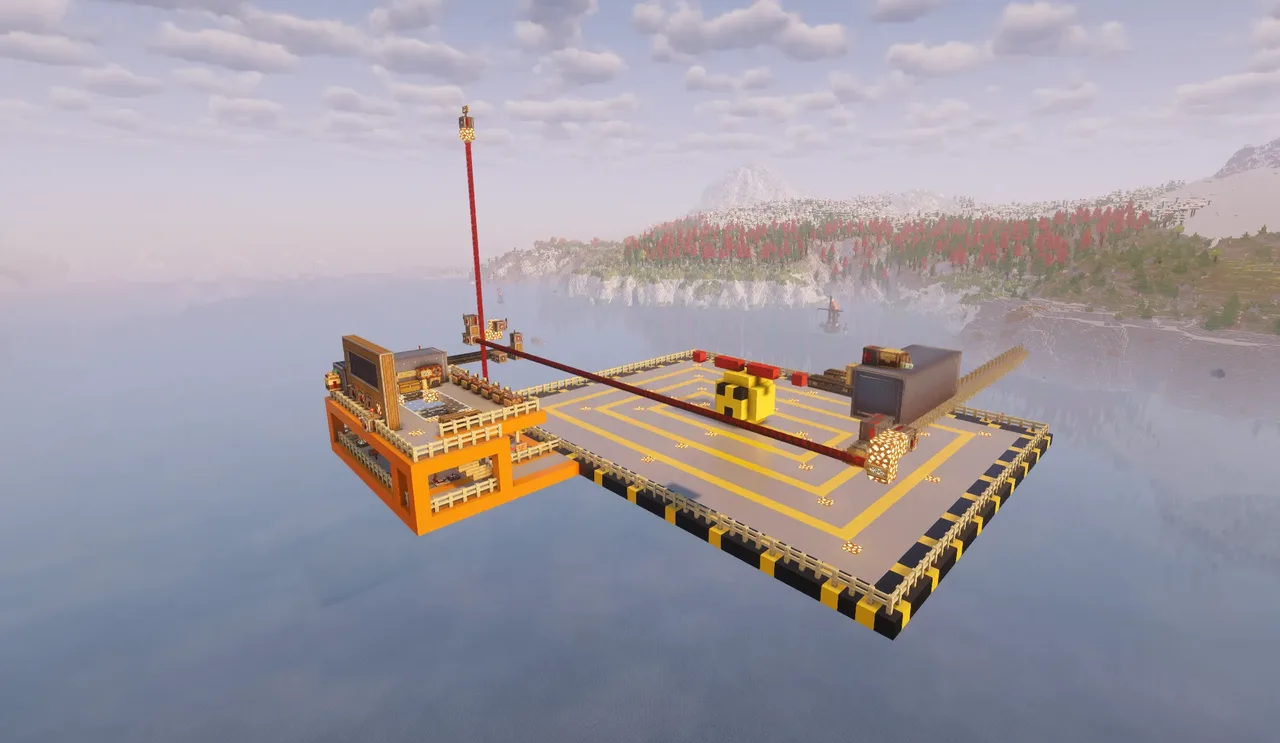
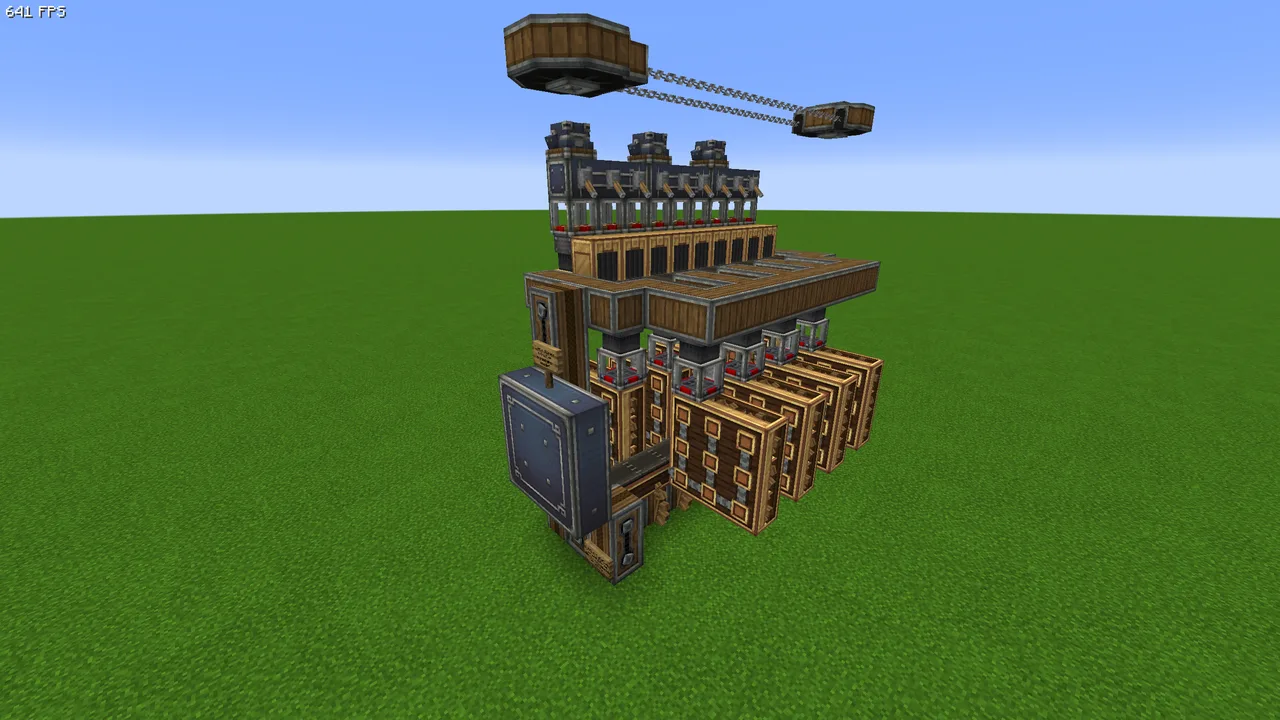
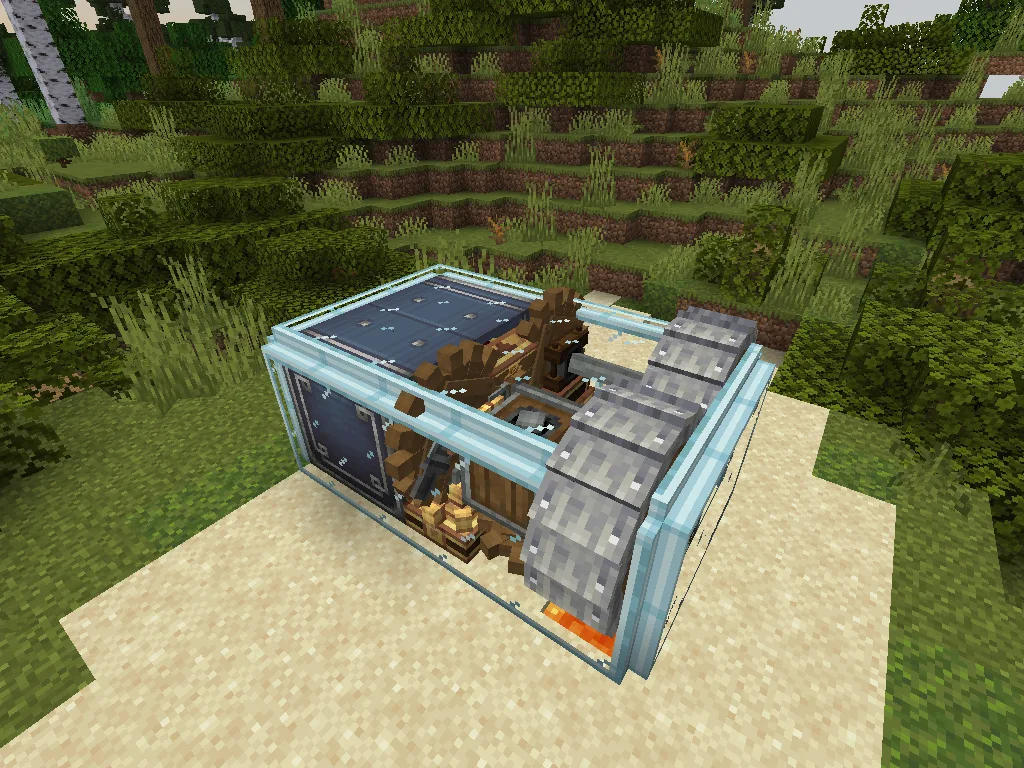
Welcome to the MVP, a modular schematic printer designed to be easily customisable for your desired print volume, allowing you to quickly print Aeronautics vehicles of various sizes. No more waiting on the sluggish schematic cannon!
Using 2 sets of gantries and a row of deployers, the MVP strikes a balance between speed, easy of use, and cost.
The standard version of the MVP boasts a 41 x 31 x 25 blocks print volume and idiot proof one-click automatic printing.
For the more advanced users, the MVP also has robust manual control options and detailed signage instructions for you to play around with it and configure it to your liking.
=== Build Instructions ===
To build the MVP, simply print the schematic without applying any rotation or mirroring. (If there is enough demand, I may provide a rotated version in the future).
Then verify that the X Gantry and Print Arm are correctly glued using Slime Glue. If they failed to print for you, please carefully apply the glue zones. Make sure to ONLY INCLUDE the blocks directly connected to the gantries, as glues applied to air blocks may cause the printer to break as the gantries move around.
Once verified, please waterlog the oak stair inside the maintenance area to power up the printer. You may want to verify that the Speed Controller is set to 256 RPM Clockwise.
=== Loading Schematics ===
To load a print, upload your schematic via a schematic table as usual, and place the projection within the print area. Remember to not exceed the boundary markers.
Then, apply the schematic as the filter for every deployer on the Print Arm. Once they all have the schematic applied, the printer is ready for use.
=== Loading Materials ===
Print materials are stored in the Main Vault located in the Printer Control area, and transferred to the Extruder vault automatically when it is in the home position. You can control the flow of materials to and from the vaults via a number of toggle levers that lock the respective ports to the vaults. A schematic cannon is provided next to the Main Vault for you to print out and update material checklists.
To ensure your checklist is correct, you should not load materials into the extruder until everything has been provided to the main vault. If you have provided all of your print materials to the Main Vault, you can then transfer them to the extruder for printing. The inventory levels of the two vaults are displayed in the control area.
=== Printing Schematics ===
Once you have loaded both the schematic and the print materials into the extruder. You can initiate the print using the relevant button. An abort button is available if you wish to cancel the print sequence early. Note, you MUST have all of the print materials in the extruder. Otherwise missing blocks will not be printed.
For the more advanced users, you may use the manual controls to print individual layers and debug the printer.
=== Print Volume Adjustment ===
To adjust the print volume of the MVP, you simply need to expand the X, Y gantries, or the Print Arm, making sure to move and glue the few end pieces on the gantries when relevant. Then adjust the timing of the print circuitry according to the instructions. For your reference, under default configs, the X gantry moves ~9 blocks per second.
 Oritech 25kj Particle accelerator FTB Stoneblock 4951 blocks · Villager535
 Compact Storage27 blocks · Playzapyt
 Integrated Precision Mechanism Module52 blocks · El Gato
 Workshop With Recipe Sequences658 blocks · Randomguy1223
 Compact and fast andesite farm41 blocks · Cheesidibb1
 Ore Processor + Small Smelter173 blocks · Nabulis
 crafter V2276 blocks · Wini_ol
 crafter259 blocks · Wini_ol
 Netherrack Farm106 blocks · Kwell34
 iron farm73 blocks · Nathangabbey1382
 Sturdy sheet processor - staroo166 blocks · Estrella
 Granite to Gold74 blocks · Hudson