
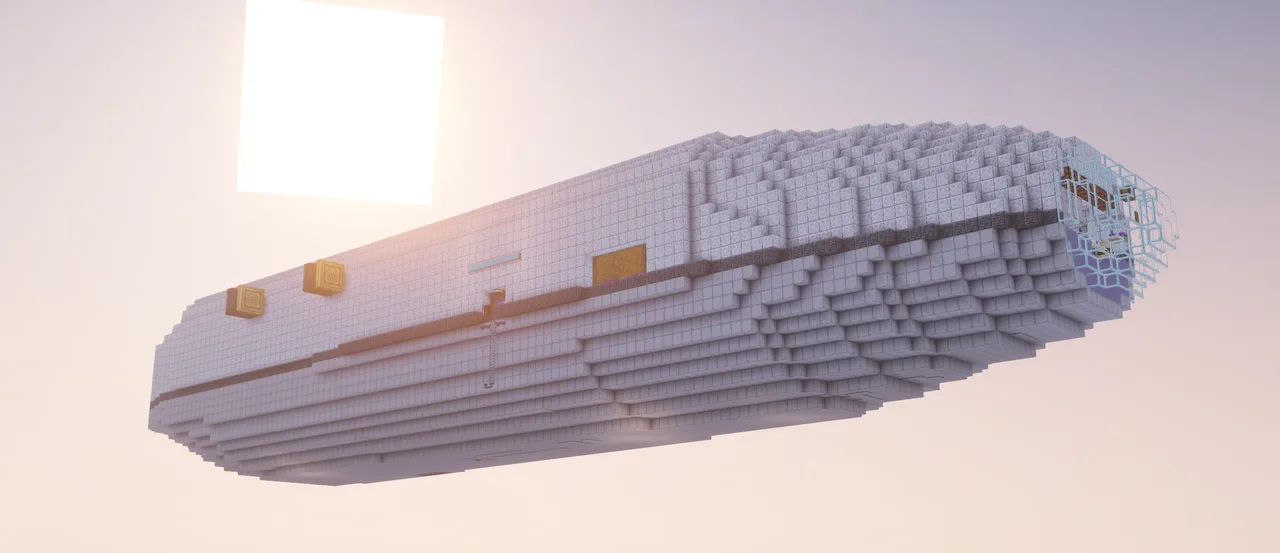
| Creator | Eepy_lina |
|---|---|
| Category | Player Transport |
| Size | 135 × 25 × 35 blocks |
| Blocks | 27,940 |
| Minecraft | 1.21.X |
| Create | 6.0.10 |
| Mods | Pipez, Createpropulsion, Create, Createaddition, Aeroworks, Ars nouveau, Apothic enchanting, Ironfurnaces, Toms storage, Sophisticatedstorage, Simulated, Morered, Snad, Create dragons plus, Createendertransmission, Easyanvils, Waystones, Enchantinginfuser, Copycats, Aeronautics, Farmersdelight, Create connected, Irons spellbooks, Sophisticatedbackpacks |
| Downloads | 25 |
| Added | 2026-10-07 |
Schematic by Eepy_lina, published on CreateMod.com. This page lists what it contains; download the file from the creator’s page.
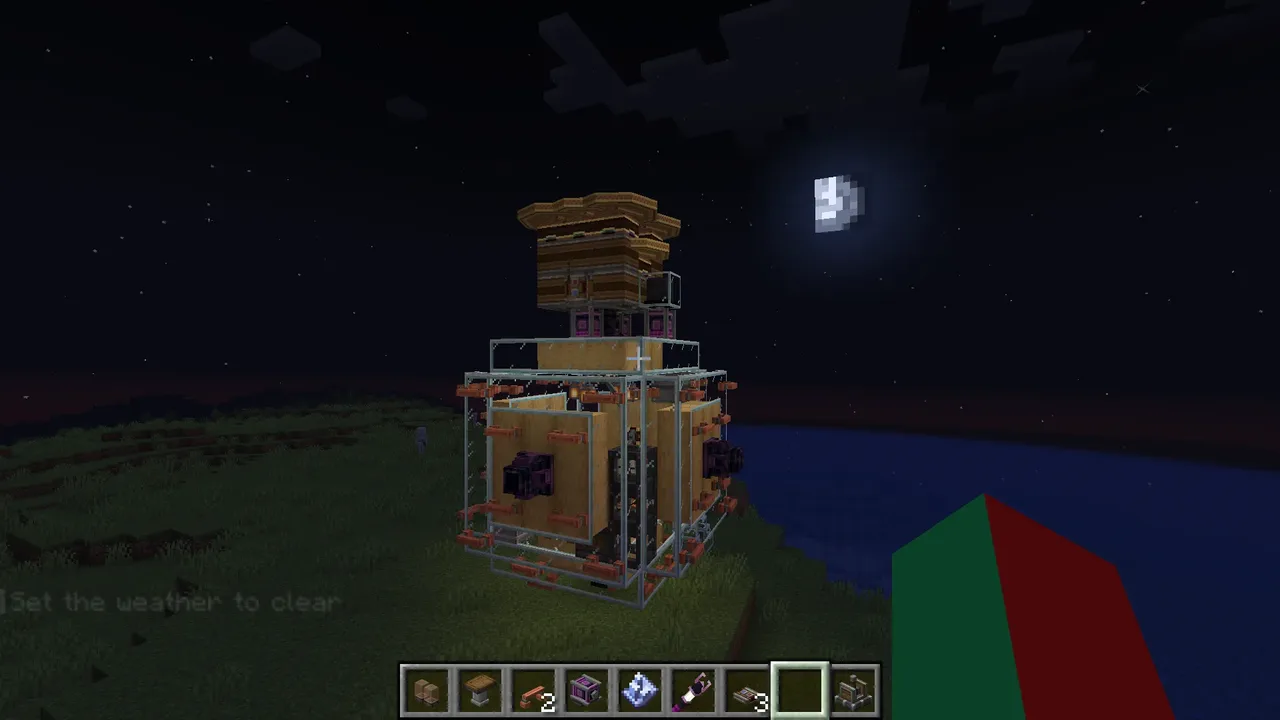
Howdy! This is the documentation for my modded Minecraft expedition airship, AF-01e: Arcflash, found on createmod.com by Eepy_lina, me!
Note: The NBT uploaded here is not the fully functioning schematic as the original build contains multiple sub-sublevels, which an NBT schematic can't contain. Lost function is the vertically placed fan processing setup and built-in drop pod, plus you'll need to go through the full setup built into the schematic, and it's only made for creative mode pasting; survival mode schematicannons will most likely not work. The main schematic is a .excraft file using the aeronautics toolgun mod. The schematic can be found at https://files.catbox.moe/wu5r9n.excraft.
The required modlist and config changes can be found at the very bottom.
Full technical documentation can be found at https://pastebin.com/sSx6vJL8
After 3 months of work, it's finally done. AF-01e: Arcflash, my most complex project yet.
This is an expedition airship with enough fuel capacity to last about 5.5 days when cruising, less(~4) if you also enable the extra thrusters for over double the top speed.
Top speed WITHOUT extra thrusters is about 35m/s.
Top speed WITH extra thrusters is about 87m/s.
Pretty much all the manual controls are spread across 2 rooms; Navigation, and the Control Room.
Navigation has controls related to, well, navigating. You'll see:
-The main cockpit, where you can manually fly the ship and see stats regarding the fullness of fuel tanks and accumulators.
-The nav control panel, where you've got:
-Autopilot, which uses a navigation table to fly there, and a redstone circuit to stop automatically when it arrives by detecting overshooting.
-Autolift, which uses an altitude sensor to always keep you above y320, preventing you from hitting mountains while on autopilot.
-Toggle Cruise, which acts like holding down W, going forwards without extra thrusters.
-Toggle Extra Thrusters, which acts like holding down G, going forwards via extra thrusters(does not enable regular W by itself, ya gotta turn on both)
-Allow Extra Thrust for Autopilot, which makes Autopilot fully utilise the extra thrusters when going forwards, but functionally it simply mirrors the W signal to the extra thrusters.
-The navigation table, hidden underneath a cartography table copycat trapdoor in the floor.
-Some minor useful things, such as storage access via Tom's Simple Storage, an enderchest, a lodestone, a quick refuel station designed for use with Sophisticated Backpacks, and a row of warning lights at the top designed to warn you with both visual and auditory signals when something goes wrong, including telling you what went wrong!
And in the Control Room, you'll find 2 control panels(one on the left, one on the right), as well as 2 display boards which also display fuel tank and accumulator values when turned on. The two control panels allow you to control things like whether certain engines are on or off, lets you turn on certain machines(it's one-way, aka you can't always override everything, for instance if the main engines are off you can't force them to turn on).
As for what the ship includes generally, lemme tell ya.
Navigation
-As described above, contains the cockpit, a control panel for navigation, a navigation table, and some utilities.
Control room
-As described above lmao, contains 2 control panels and 2 display boards.
Homeroom
-Kind of like your own room at your house, it's just a place to chill. In my design, it simply has 2 mirrored rooms, one purple and one magenta cause these colors are pretty, and said rooms both have a bed, a carpet, some personal storage, an emerald furnace, ship storage access, an enderchest, and some decoration. This room is highly customisable cause the only technologically integrated things are the emerald furnaces(energy pipes) and storage access.
Entrance/Exit Room
-Simply the room you enter/exit the airship from. Has a few seats to act as a waiting room!
Meeting & Docs
-A room I kinda only made cause I didn't know what else to do with the space.. -w-
There's a table with 4 seats inside and a buncha chiseled bookshelves, and in the center of the table is actually a copycat trapdoor, below which is a button which triggers a 4 second long steam whistle MEEEEEEEEEEEEP. lol
Storage
-A room you'll never need to touch, it just has a buncha storage blocks and a connection for Tom's Simple Storage. The reason you won't ever need to touch this room is because every room that needs it has storage access via a crafting terminal
Magic Room
-A fully customisable room because it has 0 technological integration. By default, this room has 2 floors; the bottom floor has basic Ars Nouveau workshop stuff like a toggleable source farm via a cactus on Snad(yes you read that right) feeding an agronomic sourcelink, the cactus items are voided by a backpack. There's a ritual brazier, an alteration table, an enchanting apparatus setup, a scribe's table, an imbuement chamber, and 4 source jars. Oh and there's storage access.
-On the top floor is the Iron's Spells & Spellbooks stuff, as well as enchanting. You got an advanced enchanting infuser with 4 soul touched sculkshelves and 6 regular bookshelves for max power, a library of alexandria to store all your enchanted books, an anvil and grindstone for obvious reasons, and a simple Iron's Spells & Spellbooks setup with an inscription table, an arcane anvil, a scroll force, and a complementary spruce cabinet. Oh and guess what? Storage access :3
Main Workshop
-A normal create mod workshop, although with a 90 degrees tilted fan bulk processing setup, which is a separate sublevel and the reason this schematic is uploaded with a dummy file for the main nbt and the actual .excraft file(from the toolguns mod) above, cause nbt's cant store sub-sublevels. If this site ever allows one to upload excraft files I will be very happy :p anyways, for the fans you've got washing, blasting, haunting, and cooking. Ya got a 5x5 crafter with a separate toggle to the rest of the workshop, and said rest has a saw, a rolling mill, a deployer, a depot press, a basin press, a mixer, a millstone, and lastly but not leastly, a set of crushing wheels. And mlebstly, storage access :3
Secondary Workshop
-A modular normal create mod workshop, this one's got 4 modules; Brass Ingots, Andesite Alloy, Casings, and Polished Rose Quartz. Their input is documented in the schematic, it's just the raw-ish materials pretty much. I say raw-ish because for example for Brass Ingots, you dont throw in raw copper and raw zinc, you throw in copper ingots and zinc ingots.
Drop Pod Room
-One of favorites! This room has some controls and a barrel in the back, mainly for loading a new pod(but also for ejecting the pod without the inner button being pressed :p). The pod itself is the coolest part though, it's a super cheap thing with copycat boards for walls so the inside is 3x3 and the outside is like 3.2x3.2, so it's able to hold 5 seats for players while fitting though a 5x5 drop chute with an automatic trapdoor! When ejected, it automatically turns on its sticker at the bottom, and thanks to symmetrical sails at the top, it always stays upright while falling, meaning when you land, you'll be upright and won't bounce around(though you might noclip half a block down and get a lil wiggly, in that case break the blocks below the pod and click the button on the sticker, it's on the same side as the door). Since the room itself is just, well, a room with a chute and controls, you can technically make any custom pod for it as long as it fits and uses compatible links, even a nuke :3
also no this room doesnt have storage access :(
Redstone Room
-No touchy >:(. Joke's aside, this room just has a buncha redstone circuits, not all of em though cause this one got overcrowded lol. Unless you're debugging/fixing something or changing something, please just don't touch the room lol. If you are debugging/fixing/changing something, all the circuits got signs that tell ya what they do, which should make reverse engineering a lot simpler! If you need any help, comment!
Engine Room
-No touchy ;3. Seriousness aside- wait what? Joke's aside, similarly to the redstone room, you likely don't need to enter this room unless you're debugging/fixing/changing something. And also similarly to the redstone room, comment if you need help!
And that's about all the rooms. Again, you've got 3 customisable rooms, so go wild! And if you're willing to suffer you can customise em all but would it even be Arcflash anymore? I'd call it Theseus™ by then
Anyways, technical specs would be here but i cut them out and left em in the pastebin for simplicity soo thats all for my words on it, have dependencies now :3
Dependency time!
Mods(just the version i had installed at time of release, newer versions may work, make a backup before testing though!):
Create 6.0.10
Create: Crafts & Additions 1.7.2
Create: Aeronautics 1.3.2
Sable 2.0.5
Create: Copycats+ 3.0.8+mc1.21.1-neoforge
Farmer's Delight 1.3.4
Ars Nouveau 5.13.1
Tom's Simple Storage 2.4.2
Iron's Spells n' Spellbooks 1.21.1-3.16.3
- Iron's Lib 1.21.1-2.1.0 (dependency)
Iron Furnaces 4.3.2
Pipez 1.21.1-1.2.31
More Red 6.0.0.3
Apothic Enchanting 1.6.1
- Apothic Attributes 2.10.1 (dependency)
Enchanting Infuser 21.1.4
Sophisticated Backpacks 3.25.78
- Sophisticated Core 1.4.90 (dependency)
Sophisticated Storage 1.5.91
Create: Connected 1.3.3-mc1.21.1
Create: Ender Transmission 2.1.1-1.21.1
Create: Dragons Plus 1.11.7b
Create: Aeroworks 1.5.0
Create Propulsion: Simulated 1.1.5
Waystones 21.1.42
Create: Crafts & Additions and Aeronautics Compat 1.0.0
(prism calls it "Crafts-Aero-Bridge")
Create Aeronautics Lift Fix 1.0.0
Create Aeronautics: Toolgun 0.3.6
Snad 21.1.1
Now for configurations!
Prepare for so many config changes you may die trying...
Art thoust readye?
Prepareth!!
Create Aeroworks > Common Config > Gyroscope > Stress Impact = 8.0 (down from 16)
yea thats it :3
bai :3
and 170 more block types
 SS.Venture Redecorated7,119 blocks · Danzyz
 Passenger Airship1,331 blocks · Daniakv648
 Small Red Convertible (survival friendly)121 blocks · Dispicableduck2
 mini boat for survival mode62 blocks · Kirysha
 Stadler Tango NF2 (v2.5+v2)524 blocks · Stepi
 submarine v2451 blocks · Patrik
 the cherry carrier716 blocks · Frozen Phoenix
 Skoda 39T - Battery-Electric Edition546 blocks · Stepi
 UFO849 blocks · Jayman07
 Autumn Triumph 1.0.076 blocks · Ace234g5i6
 The R41 Raider160 blocks · Internetsheep
 CUBE (a creative spaceship)268 blocks · Wowwee!